In der Linux-Befehlszeilen-Bash-Umgebung stellen wir mehrere Linux-Befehle für Manualreferenzen vor (whatis, apropos, aptitude, tldr, cheat usw.), die einfacher und zugänglicher sind als der integrierte man-Befehl zum Nachschlagen von Handbüchern von Befehlszeilen-Software und integrierten Befehlen.
tl;dr. (zu lang; nicht gelesen.)
Für den Fall, dass Sie nur wissen möchten, was dieser Befehl macht
whatis
``` $ whatis awk awk (1) - pattern scanning and text processing language ```apropos
Mehr Dokumentation als whatis. Die Beschreibung ist gleich. ``` $ apropos ^awk$ awk (1) - pattern scanning and text processing language ``` ([Übersetzung] apropos of ~ über; apropos of nothing = plötzlich, (=BTW?))aptitude show
Begrenzt aufapt-Umgebungen wie Ubuntu. Eher eine Beschreibung des Pakets als des Befehls. Oft detaillierter erklärt.
```
$ whatis sed
sed (1) - stream editor for filtering and transforming text
$ aptitude show sed … Description: The GNU sed stream editor sed reads the specified files or the standard input if no files are specified, makes editing changes according to a list of commands, and writes the results to the standard output. Homepage: http://www.gnu.org/software/sed/
## Für den Fall, dass Sie Verwendungsbeispiele dieses Befehls sehen möchten
<h3><strong>tldr</strong></h3>
npm install -g tldr
$ tldr awk
awk
A versatile programming language for working on files.
-
Print the fifth column (a.k.a. field) in a space-separated file: awk ‘{print $5}’ filename
-
Print the second column of the lines containing “something” in a space-separated file: awk ‘/something/ {print $2}’ filename
-
Print the last column of each line in a file, using a comma (instead of space) as a field separator: awk -F ’,’ ‘{print $NF}’ filename
-
Sum the values in the first column of a file and print the total: awk ‘{s+=$1} END {print s}’ filename
-
Sum the values in the first column and pretty-print the values and then the total: awk ‘{s+=$1; print $1} END {print ”--------”; print s}’ filename
-
Print every third line starting from the first line: awk ‘NR%3==1’ filename
[tldr-pages/tldr: Simplified and community-driven man pages](https://github.com/tldr-pages/tldr)
<h3><strong>cheat</strong></h3>
<code>pip install cheat</code>
$ cheat awk
sum integers from a file or stdin, one integer per line:
printf ‘1\n2\n3\n’ | awk ’{ sum += $1} END {print sum}‘
using specific character as separator to sum integers from a file or stdin
printf ‘1:2:3’ | awk -F ”:” ‘{print $1+$2+$3}‘
print a multiplication table
seq 9 | sed ‘H;g’ | awk -v RS=” ‘{for(i=1;i<=NF;i++)printf(“%dx%d=%d%s”, i, NR, i*NR, i==NR?”\n”:“\t”)}‘
Specify output separator character
printf ‘1 2 3’ | awk ‘BEGIN {OFS=”:”}; {print $1,$2,$3}’
[chrisallenlane/cheat: cheat allows you to create and view interactive cheatsheets on the command-line. It was designed to help remind *nix system administrators of options for commands that they use frequently, but not frequently enough to remember.](https://github.com/chrisallenlane/cheat)
## Tipps zur einfacheren Verwendung von man
Für diejenigen, die man nicht vollständig aufgeben können.
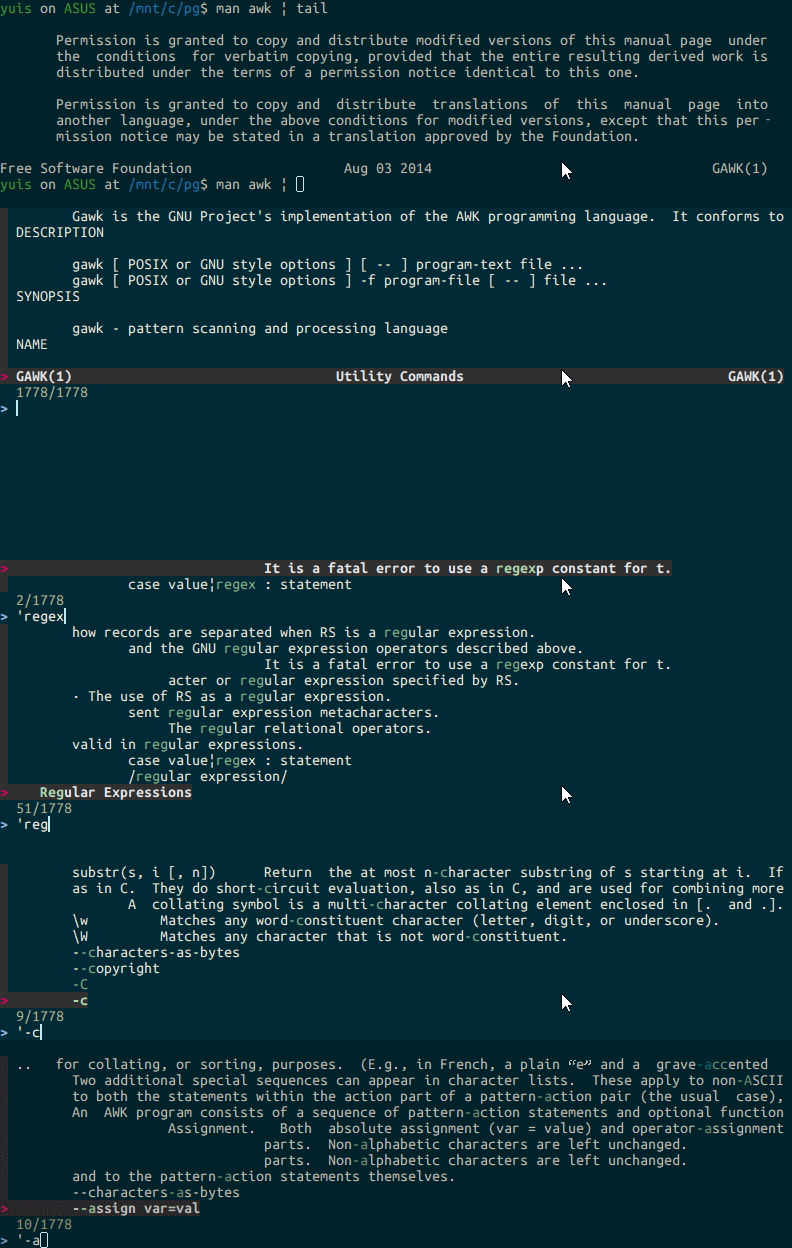
<h3><strong>fzf</strong></h3>
<code>man awk | fzf</code>
[junegunn/fzf: A command-line fuzzy finder](https://github.com/junegunn/fzf#installation)
<h3><strong>vim</strong></h3>
<code>man awk | vim -</code>
<h3><strong>sublimeText3</strong></h3>
<code>man awk > ~/tmp.txt && sublime_text ~/tmp.txt</code>
<code>man awk > ~/tmp.txt && gedit ~/tmp.txt</code>
### less
(Hinzugefügt 2021)
Man plus less ist immer noch das Beste. Mit less können Sie mit g/G zum Anfang/Ende von Dokumenten springen, mit regulären Ausdrücken mit "/" suchen und mit den Tasten pageup/pagedown schnell durch Seiten blättern. Es ist eine befehlszeilenartige Art, die Befehlszeile zu verwenden, aber sobald Sie sich daran gewöhnt haben, ist es keine Belastung, daher empfehle ich es.